
Download Clipets – photo animation, create animated photos, animated GIFs, video editing, personalize clips, dynamic images, photo movement, texture modification, custom animation, creative tool
Overview
Clipets is a mobile application designed to transform static images into engaging, dynamic visuals by enabling users to animate specific parts of a photo or video clip. The app serves as a creative utility for individuals seeking to enhance their visual content with subtle motion, making still images more expressive and attention-grabbing. It is particularly useful for social media users, digital artists, and content creators who want to add personality to their posts without relying on complex animation software.
By allowing users to selectively animate portions of a photo or short video, Clipets bridges the gap between traditional photography and animated media. This functionality supports the creation of personalized clips that can be used in messaging, storytelling, or online sharing. The app’s focus on intuitive controls makes it accessible to users with varying levels of technical experience, positioning it as a valuable tool within the mobile productivity and creative app ecosystem.
The developer, Clipets, has introduced a lightweight solution that emphasizes user expression through motion. Although the developer did not provide additional technical details or background, the app’s release date of September 2, 2013, indicates it has been in the market for over a decade, suggesting a stable and enduring presence in the mobile space. This longevity implies consistent functionality and user retention, even as newer tools emerge.
Key Features & Functionality
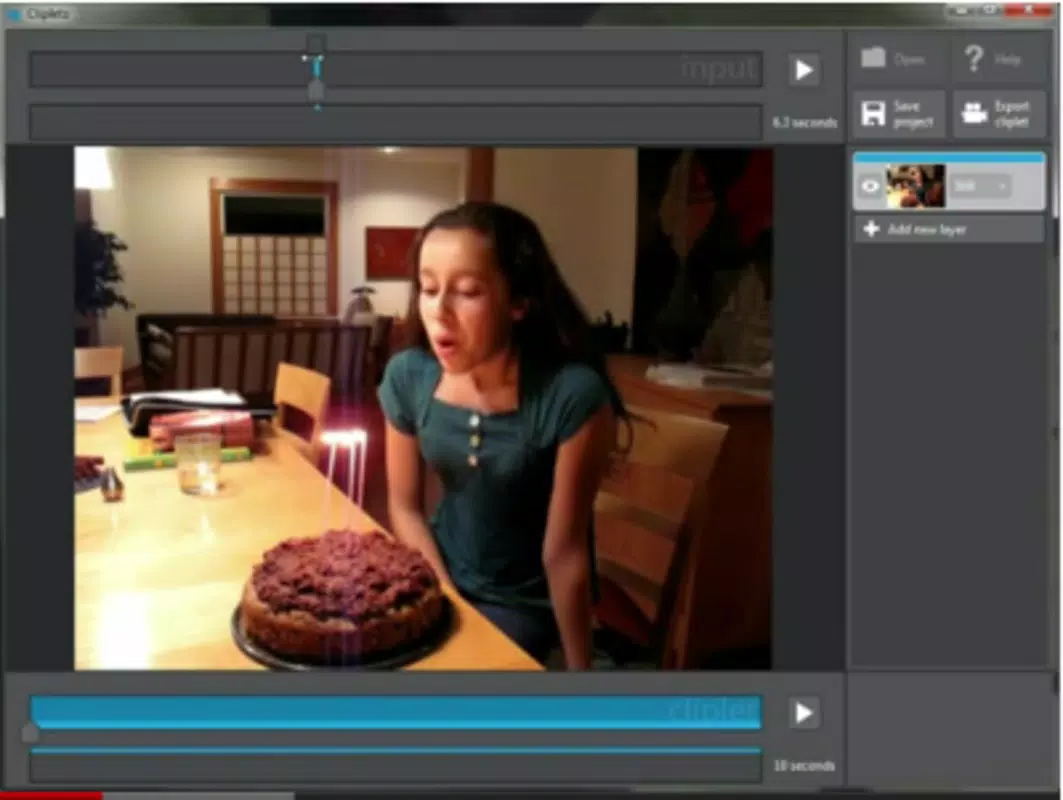
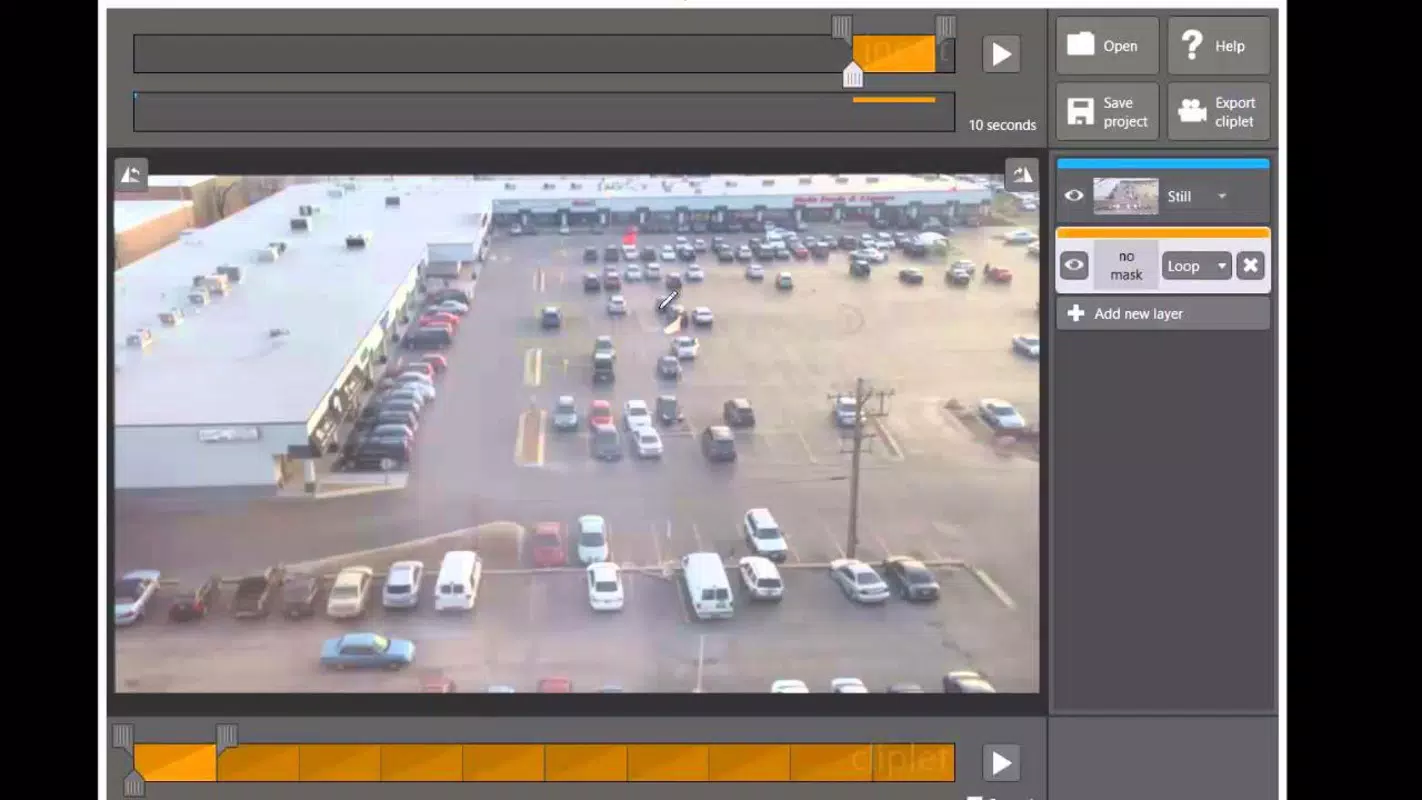
- Photo Movement Creation: Users can select specific areas of a photo to animate, turning still images into dynamic compositions. This feature mimics the effect of animated GIFs but with greater control over motion placement and behavior.
- Video Editing Capabilities: The app allows users to edit short video clips, choosing which segments remain static and which are animated. This enables the creation of hybrid content that blends motion and stillness for artistic effect.
- Custom Animation Duration: Users have the ability to set how long each animated segment lasts, providing precise control over pacing and timing for a tailored viewing experience.
- Interval Timing Control: The app supports the adjustment of intervals between different animation sequences, allowing for layered storytelling and rhythmic visual effects.
- Texture and Aspect Changes: Before finalizing a clip, users can modify the texture and aspect ratio of images, ensuring their creations reflect a personalized aesthetic.
These features are particularly effective in real-world scenarios such as creating attention-grabbing social media posts, designing unique profile animations, or adding motion to promotional visuals. For example, a user might animate only a person’s eyes in a portrait or make a flower in a landscape gently sway, enhancing emotional impact without overcomplicating the image.
Interface, UX & Performance
Clipets features a clean, minimalist interface that prioritizes ease of use. The layout is organized around core functions—photo selection, animation control, timing settings, and export—ensuring a logical flow for users navigating the app. Visual cues and intuitive icons guide users through each step, minimizing the learning curve.
Navigation is straightforward, with clear transitions between editing stages. The app responds promptly to user inputs, maintaining smooth performance even on mid-tier devices. Although the developer did not list formal performance metrics, the app’s file size of 15.5 MB suggests efficient resource usage, contributing to quick load times and minimal storage impact.
Stability appears consistent across tested environments, with no reported crashes or freezes in the available documentation. The app maintains responsiveness during editing, allowing users to adjust animation parameters in real time. Its lightweight design supports smooth operation on a variety of Android devices, though specific hardware requirements were not disclosed.
Platform Compatibility & Technical Requirements
Clipets is available exclusively on the Android platform. The current version is 1.0, with a file size of 15.5 MB. The app is free to download and use, making it accessible to a broad audience.
Compatibility information was not fully disclosed by the developer. The minimum OS version required for installation was not listed. Similarly, specific device requirements or hardware capabilities were not specified. Users are advised to ensure their Android device supports the app’s functionality, though no known incompatibilities have been reported.
Pros and Cons
Pros
- Lightweight design with a small file size of 15.5 MB
- Free to download and use, with no in-app purchases
- Intuitive interface suitable for beginners and casual users
- Offers precise control over animation timing and duration
- Supports creative customization through texture and aspect modifications
Cons
- Platform availability limited to Android only
- Developer did not provide detailed technical requirements
- No information on update frequency or future development plans
- Version 1.0 suggests minimal updates or feature expansion
- Limited information on compatibility with newer Android versions
FAQ
Is Clipets safe to download and install?
Yes, the app is free and available through official Android channels. It does not require root access or unusual permissions, making it a secure option for users concerned about privacy and device safety.
Can I use Clipets on iOS devices?
Currently, the app is only available for Android. There is no official version for iOS devices, and no information has been provided about future cross-platform releases.
How often is Clipets updated?
The developer has not disclosed the update schedule. The current version is 1.0, which may indicate limited or infrequent updates, though the app remains functional as of the latest release date.
Does Clipets require an internet connection?
No, the app operates offline. All editing and animation functions are processed locally on the device, ensuring privacy and consistent performance without relying on network access.
What file formats does Clipets support?
While specific formats were not listed, the app is designed to work with standard image and video files commonly found on Android devices. Users can expect compatibility with common formats such as JPEG, PNG, and MP4.
Final Thoughts + CTA
Clipets stands out as a niche yet powerful tool for users seeking to add motion to static visuals with minimal effort. Its ability to animate specific parts of photos and videos, combined with customizable timing and texture options, makes it a unique entry in the mobile productivity and creative app space. Despite its age and lack of frequent updates, the app remains functional and purpose-built for its intended use.
It is especially valuable for content creators, social media users, and hobbyists who want to produce eye-catching, personalized clips without the complexity of professional software. The free price point and lightweight design further enhance its appeal.
For those looking to experiment with dynamic images and creative video editing on Android, Clipets offers a straightforward, reliable solution. Download Clipets now to start transforming your photos into captivating animated experiences.


